

You can select all records in a Grid to perform bulk operations like duplication, deletion, marking status, and more. This is useful when you need to work with many records at once.
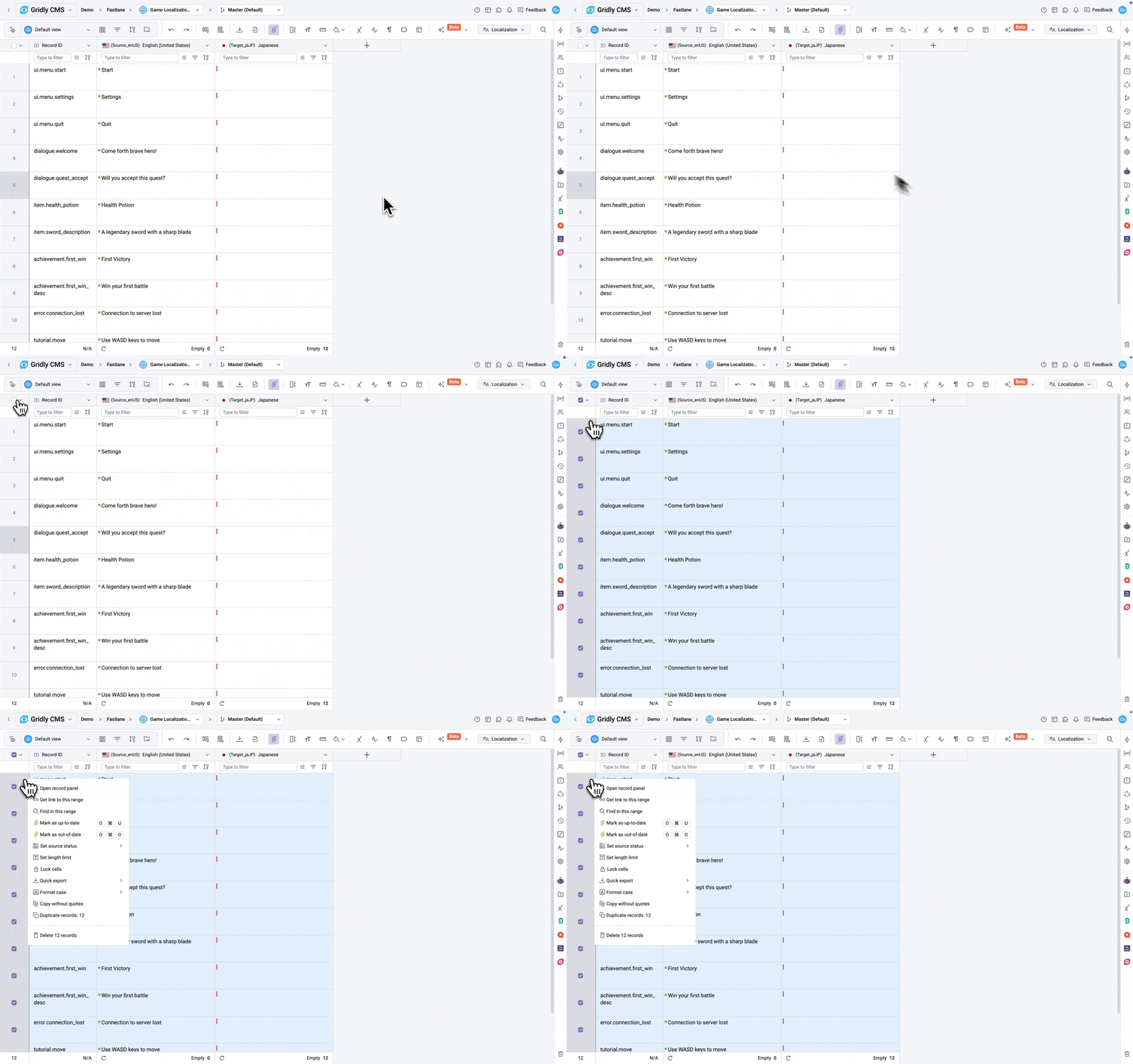
- Click the checkbox in the column header next to Record ID. All visible records in the Grid are now selected. The number of selected records appears at the bottom of the Grid.
- Right-click on any selected record to open the context menu.
- Choose from the available bulk operations, such as:
- Duplicate records: Create copies of the selected records
- Delete records: Delete all selected records
- Mark as up-to-date or Mark as out-of-date: Update the status of selected records
- Quick export: Export the selected records
- The selection applies only to records visible in your current View. If you have filters applied, only filtered records will be selected.
- Some operations may not be available depending on your permissions.