

The Insert multiple targets feature allows you to quickly add multiple target language columns linked to an existing source language column in one action.
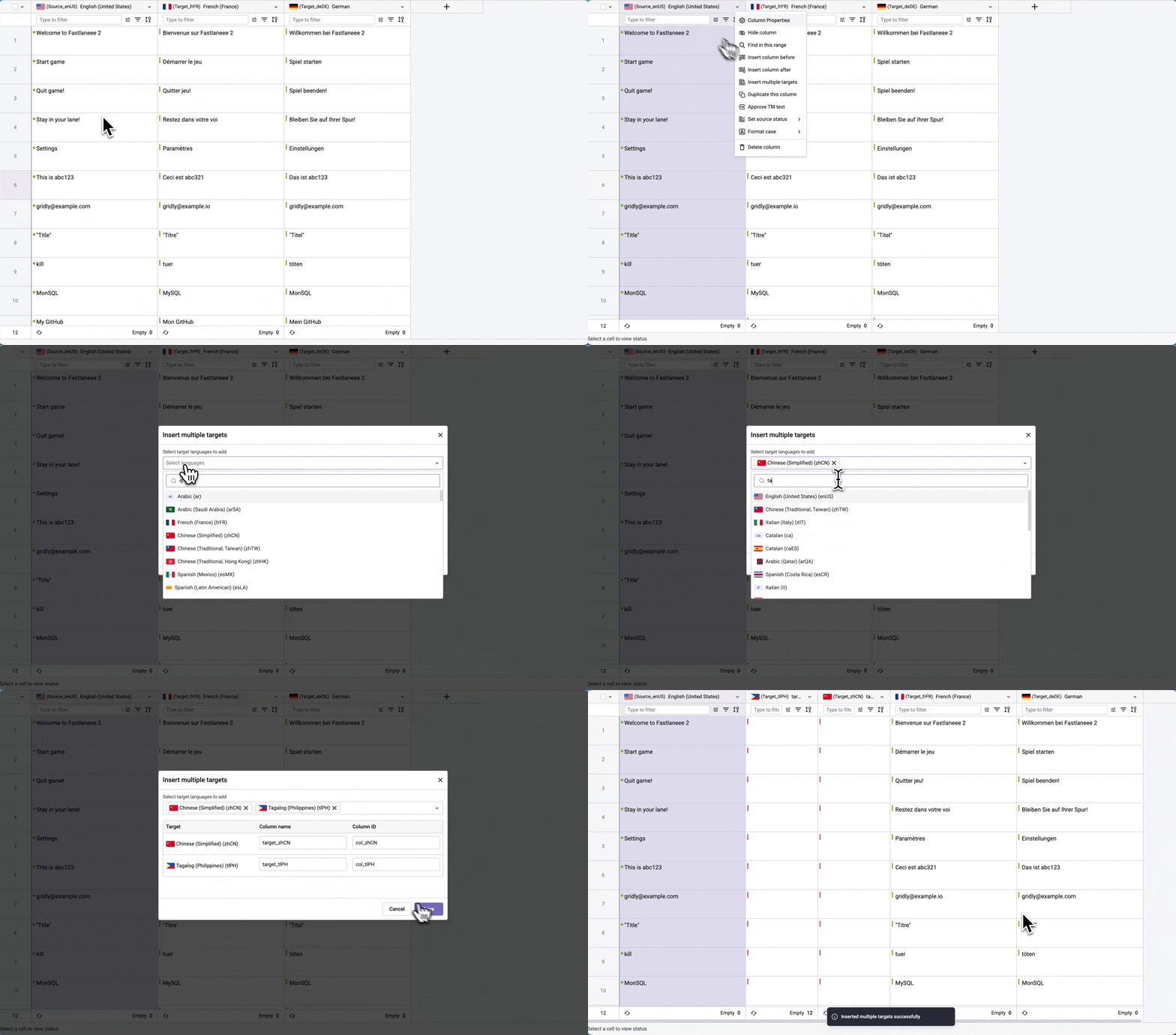
- Right-click on the header of the source language column you want to add target columns to.
- Select Insert multiple targets from the dropdown menu.
- Choose the target languages you want to add.
- (Optional) Edit the column names or column IDs by clicking in their respective fields.
- Click Save to create the new target columns.
The new target columns will be added to your Grid with dependencies automatically set between each target column and the source column you selected.