
Table of contents:
Add a custom Company role
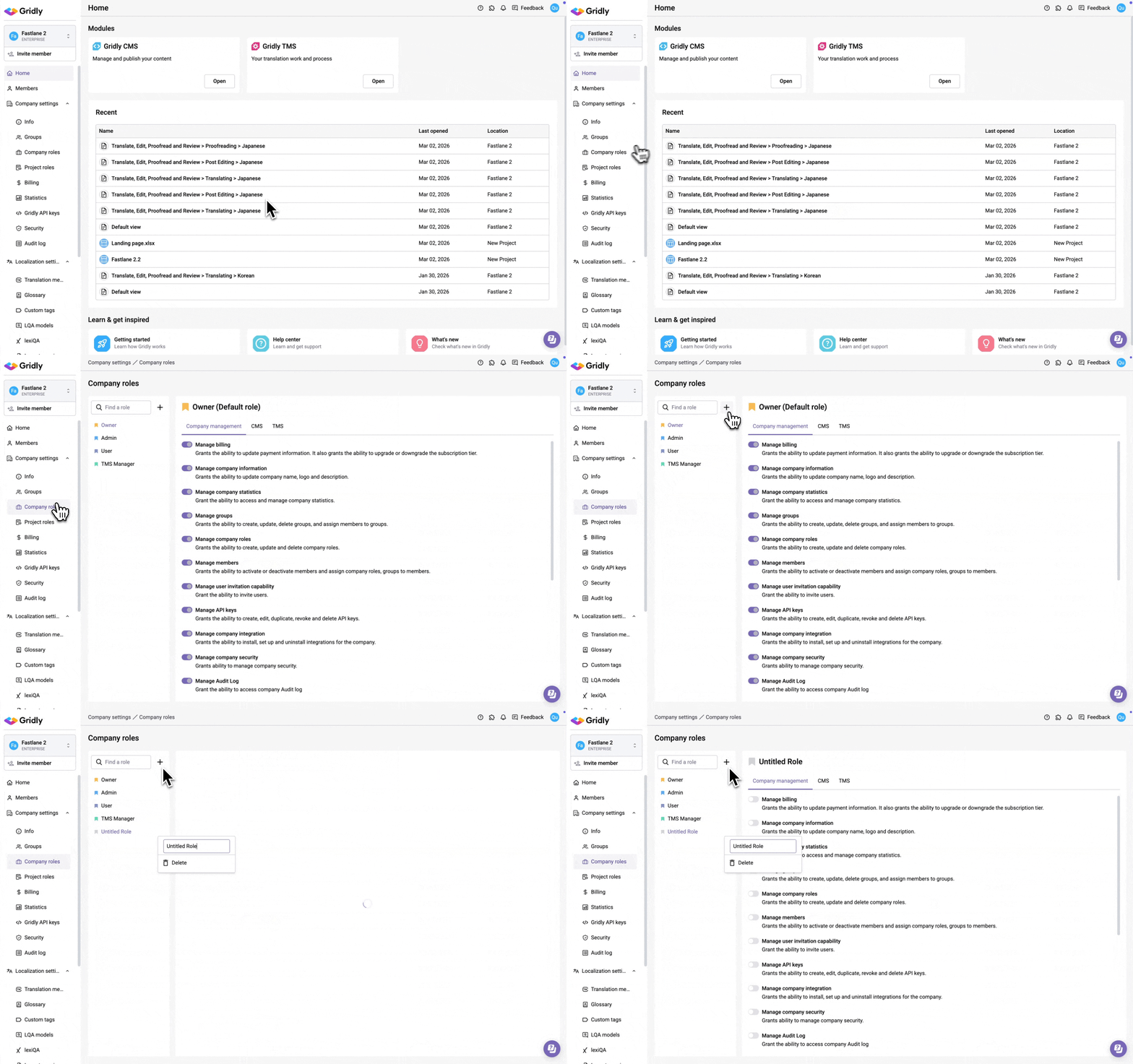
- Select Company roles in the left-hand side menu (under Company settings).
- Click
 .
. - Name your new role and select privileges.
Set up privileges
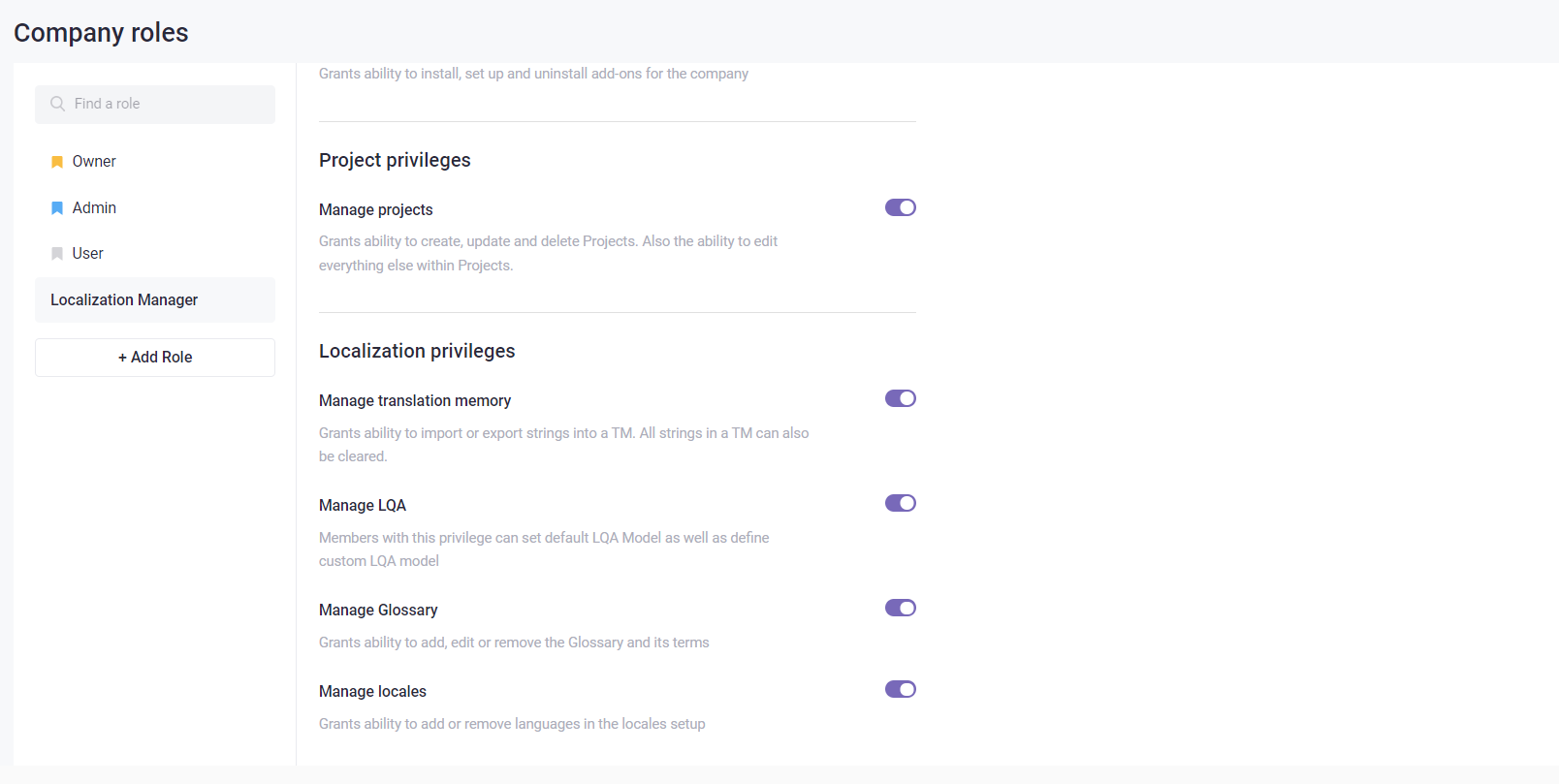
Click the toggle of each privilege to grant abilities for the custom roles. There are 3 main privileges related to: managing company, CMS, and TMS. Learn more in this article: Permission overview.
Delete custom Company roles
You cannot delete the default company roles.
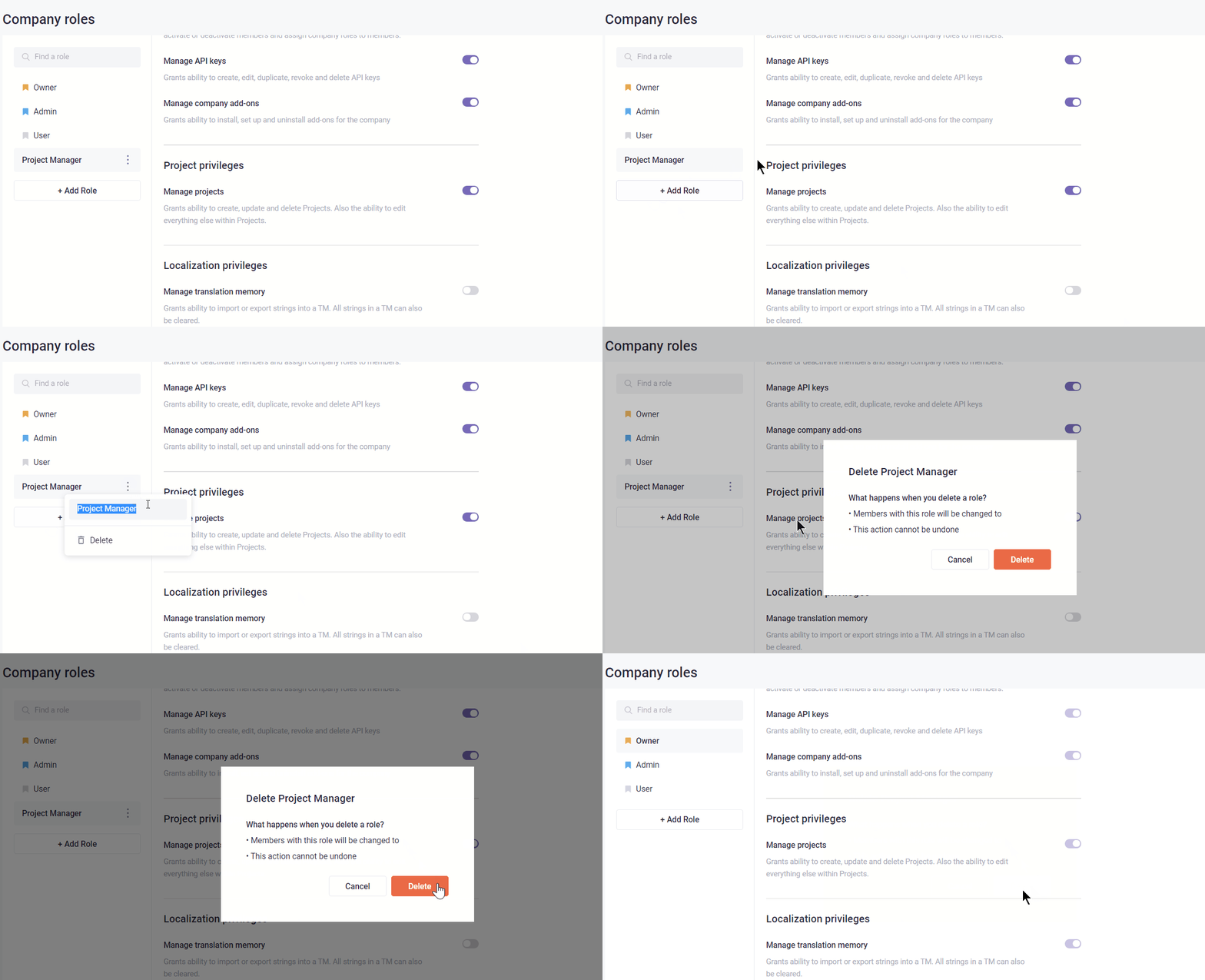
- Click
 at the right-hand side of the company role.
 - Select Delete Group.
- Confirm role deletion.
Rename role
- Click at the right-hand side of the company role.
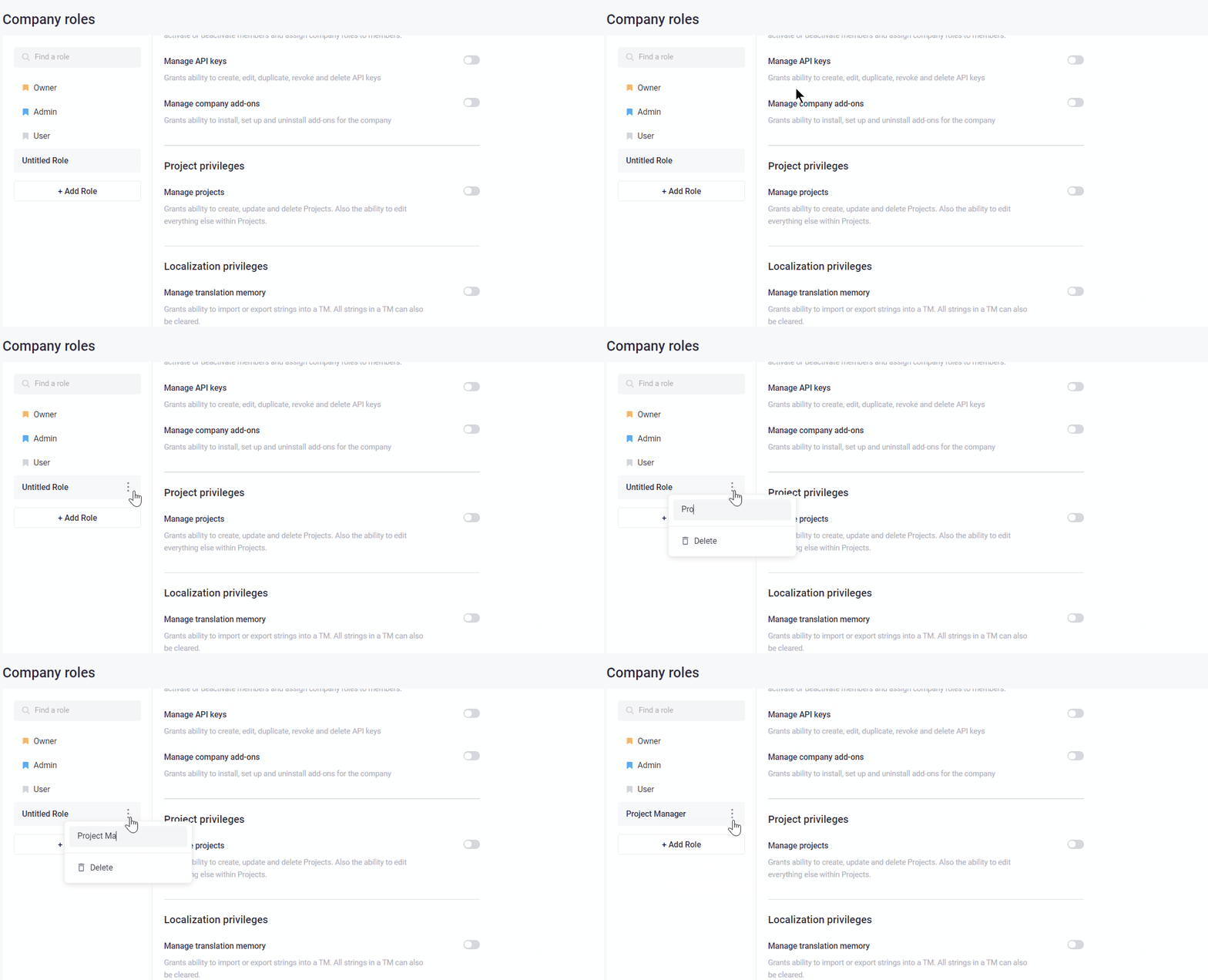
- Enter your new name.